

Open the Add reference window
Any of these works:- Press Mod + N (⌘N on macOS, Ctrl+N on Windows and Linux).
- On the References page, click + add.
- When your library is empty, click + add references.

From a DOI or a PDF link
-
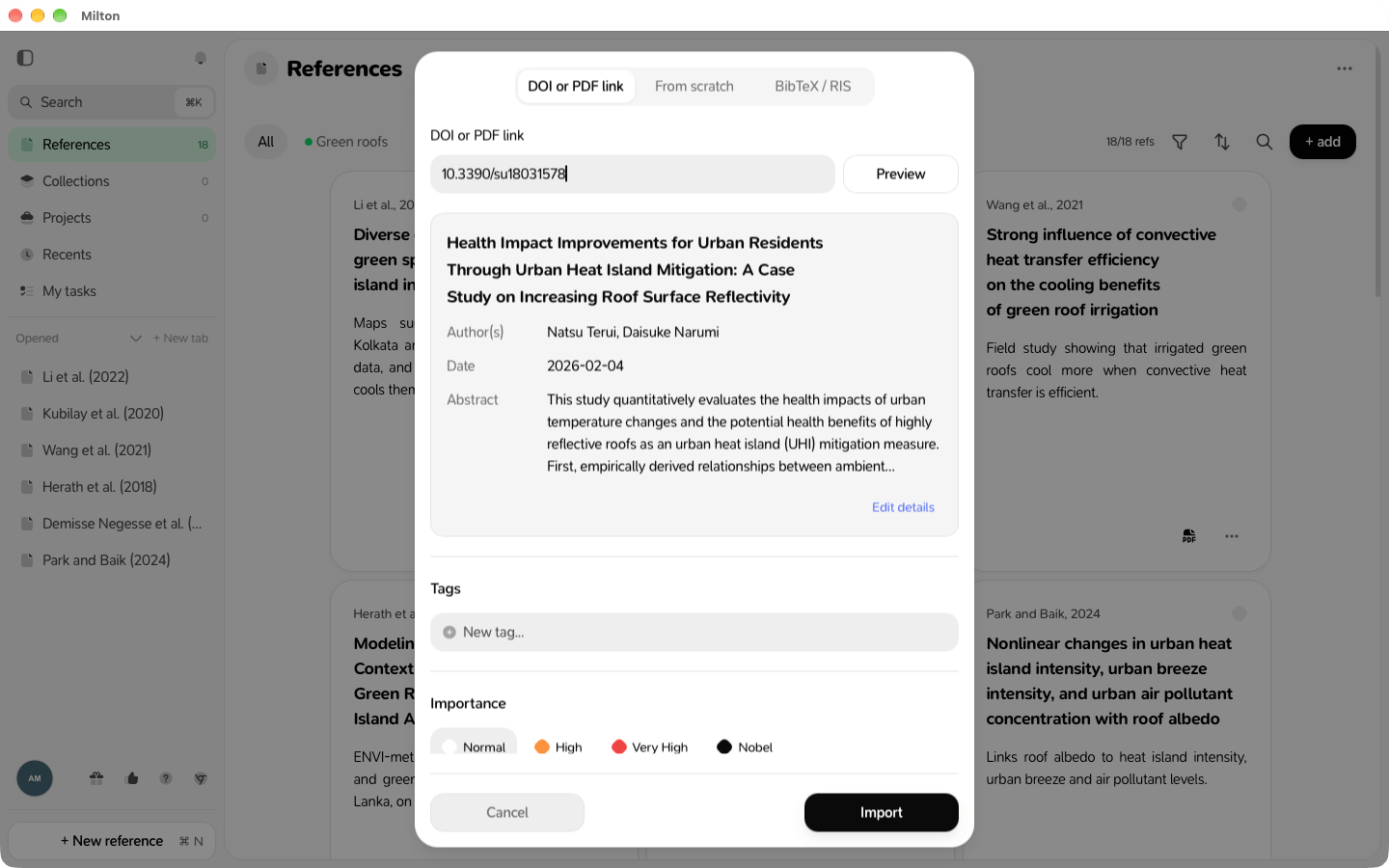
In the DOI or PDF link tab, paste one of:
-
a DOI, like
10.1086/259717, or adoi.orglink - a direct link to a PDF file
-
for an arXiv preprint, its arXiv DOI, like
10.48550/arXiv.1706.03762. An arxiv.org link or a bare arXiv ID isn’t recognized.
-
a DOI, like
- Milton looks it up by itself (or click Preview). A preview shows the authors, date and abstract.
- To correct something, click Edit details.
- Optional: add Tags and set the Importance.
- Click Import.
From scratch
- Click the From scratch tab.
-
Choose the type (Article, Book, Book Chapter, Conference Paper, Thesis, Preprint, Report, Website or Other) and fill in the Title and any other details.
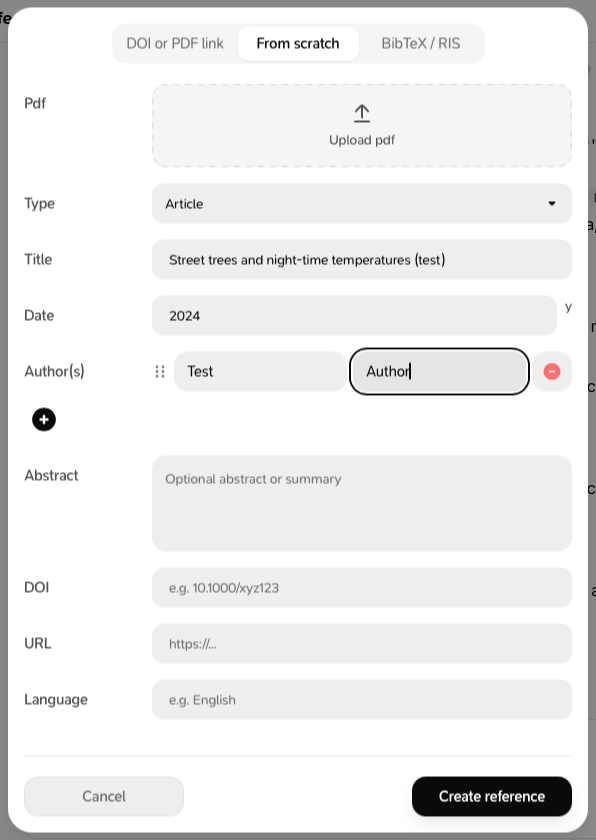
- To attach a PDF from your device, click Select PDF.
- Click Create reference.
Milton finds the PDF for you
When you add a reference with a DOI but no PDF, Milton looks for a free (open-access) version and attaches it if it finds one. If it doesn’t, open the reference’s PDF tab later and click Try to find PDF automatically, or Attach PDF to add your own.Already in your library?
If the reference is already there, Milton says “This reference is already in your library” and tells you whether it matched by DOI, title or PDF filename. Milton doesn’t create duplicates.Milton can’t look up books by ISBN. Use From scratch and type the ISBN in its field.