  1. Open the main .tex file.
  2. Open Editor options (⋯) → Export… (also in the file’s ⋯ menu).
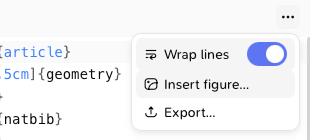
    The Editor options menu with Export…
  3. Choose:
    • Compiled PDF, or
    • Sources (.zip): every file needed to compile it elsewhere, with the bibliography (.bib and .bbl), ready for arXiv. Tick Remove comments (recommended for arXiv) to strip your LaTeX comments.
  4. Click Export and choose where to save.
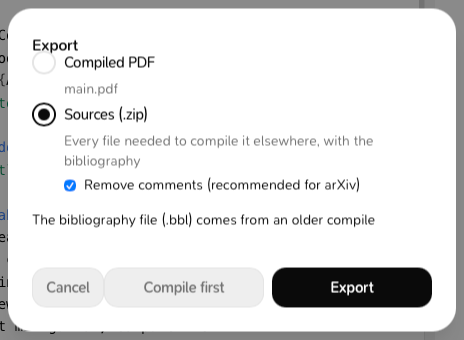
The Export window with Compiled PDF and Sources (.zip), and Remove comments (recommended for arXiv)
If the project hasn’t compiled yet, click Compile first. If the PDF is older than your latest changes, or is only a quick preview, Milton tells you; you can still Export anyway. Exporting is free.
Last modified on November 21, 2026