  1. In your project’s files, click New file → New manuscript from template….
  2. Click a template: IEEE, Elsevier, ACM, Springer (LNCS) or Blank.
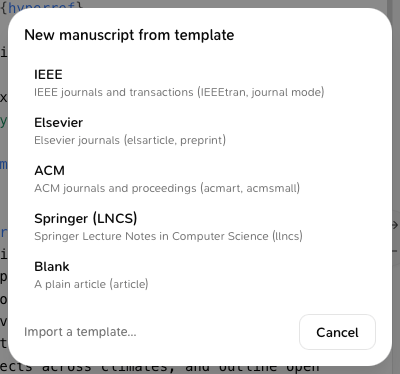
    The New manuscript from template window with IEEE, Elsevier, ACM, Springer (LNCS), Blank and Your templates
Milton creates the files in a folder named after the template (or at the top if the project is empty), fills in the title with the project’s name and the author with your name, and sets main.tex as the main file.

Save your own template

  1. Open the ⋯ menu of a .tex file or a folder.
  2. Choose Save as template… and give it a name.
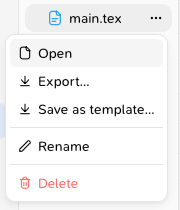
    A .tex file's ⋯ menu with Save as template…
Your templates appear under Your templates in the same window, where you can rename or delete them. Deleting a template doesn’t touch manuscripts made from it. To use a journal’s official template, download its .zip and use Import a template…. The zip must contain a main .tex file. With a subscription, your templates follow you on all your devices.
Last modified on November 21, 2026