

- Open the reference.
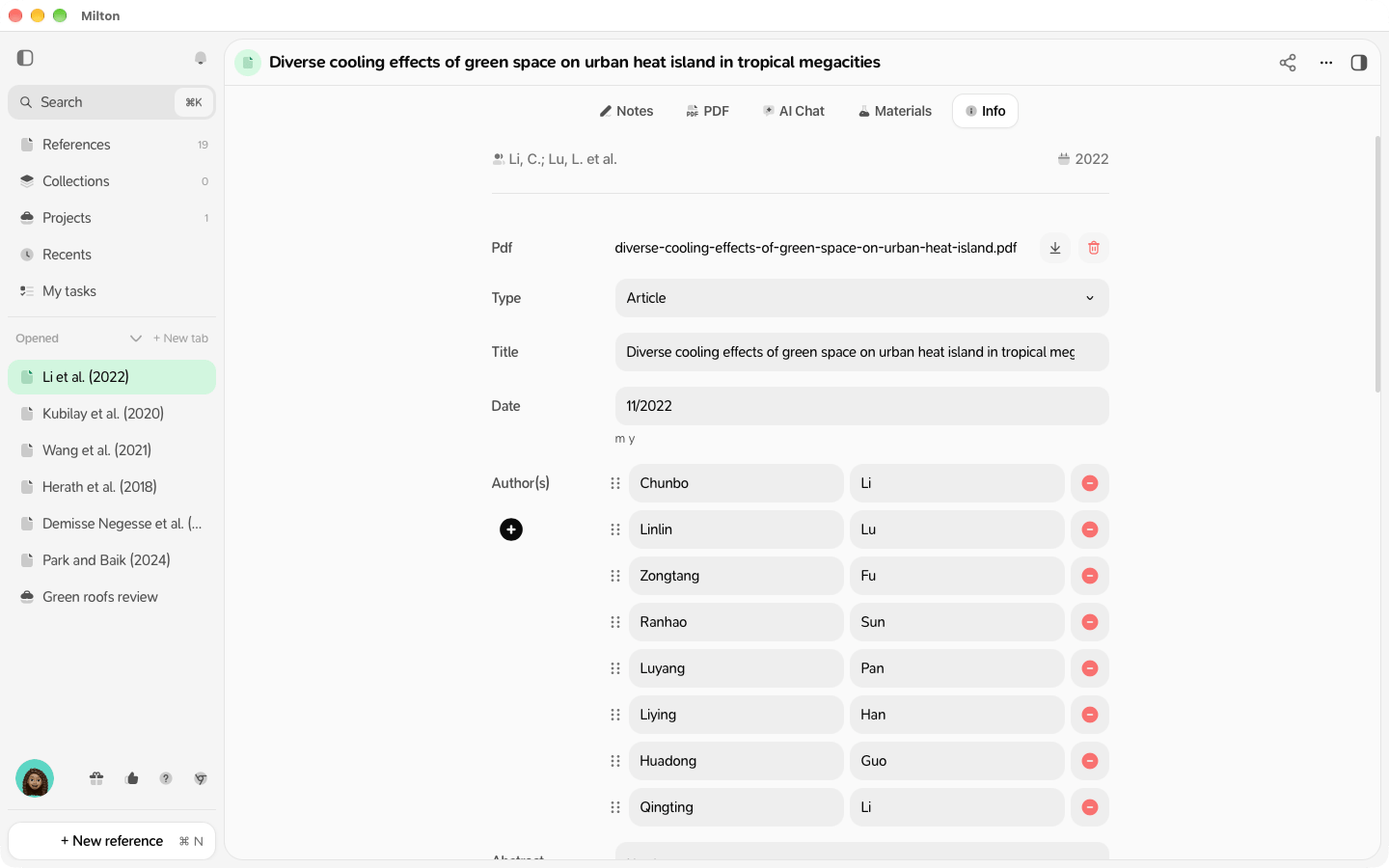
- Click the Info tab.
- Edit any field: Type, Title, Date, Author(s) (Add author), Abstract, URL, DOI, and the fields for its type (for example Book Title or Conference Name).
Importance
Set Importance to Normal, High, Very High or Nobel. You can sort and filter by it.
Custom properties
Click + New property, type a Property name and a Value. Custom properties are never shared or published.
Add or remove the PDF
In Info, use Upload pdf to attach a PDF from your device, or remove the current one.Complete with AI
When details are missing, Complete with AI appears. Milton first tries the DOI; it only uses AI (and AI credits) if needed. Fields filled by AI show an AI badge. To undo, click Undo AI changes (or press ⌘Z / Ctrl+Z). To try one field again, click the refresh icon next to its badge (Regenerate this field).Citation key
For writing in LaTeX, each reference has a citation key (likejacquel2024climate). It appears in Info as a custom property named Citation Key: change its value there. If it isn’t there yet, add it with + New property. See Cite references.
Edits to a reference apply everywhere it appears: in every collection and project.